1
Set your delivery app to English
Make sure your courier app language is set to English so CallKal can read the order correctly.
Settings → Apps → Courier app → Language → English
Use CallKal alongside your delivery app to check if an order is worth it, track your real working time, and improve your results over time.
Before CallKal can give advice automatically, make sure your delivery app language is set to English.
Make sure your courier app language is set to English so CallKal can read the order correctly.
Settings → Apps → Courier app → Language → English
Enable notifications so CallKal can show advice when a new order appears.
Settings → Notifications → CallKal → Allow Notifications
Make sure notifications are allowed while screen recording is active.
Settings → Notifications → CallKal → Screen Sharing → Allow Notifications
Open CallKal and press the center record button to start the automatic check.
Keep working as usual in your delivery app and wait for a new order to appear.
When a delivery offer appears, keep it visible for a moment and CallKal will show its advice.
Once setup is done, you can check an order automatically while recording your screen, or manually by entering the order details yourself.
Best for working live during your shift. CallKal reads the order and sends advice as a notification.
Use this when you want to check an order yourself or when automatic detection misses it.
Note: In rare cases, automatic detection may miss an order. If that happens, simply check it manually or follow next steps:
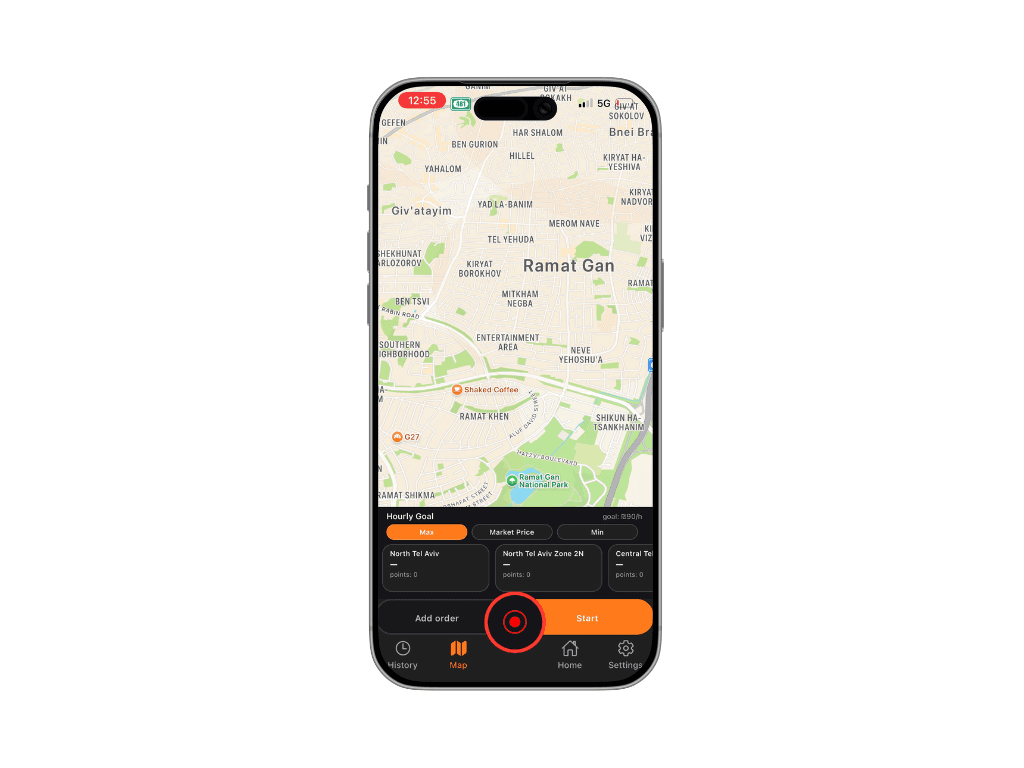
You don't see advice notification
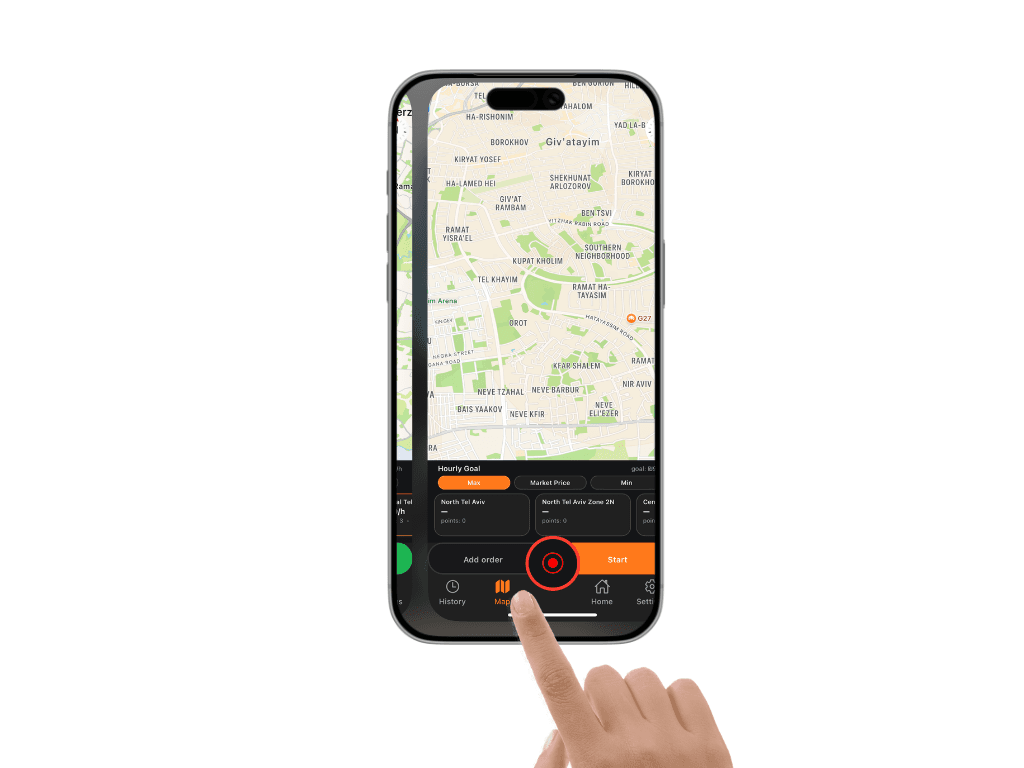
Hold your screen in this position
for 1-2 second
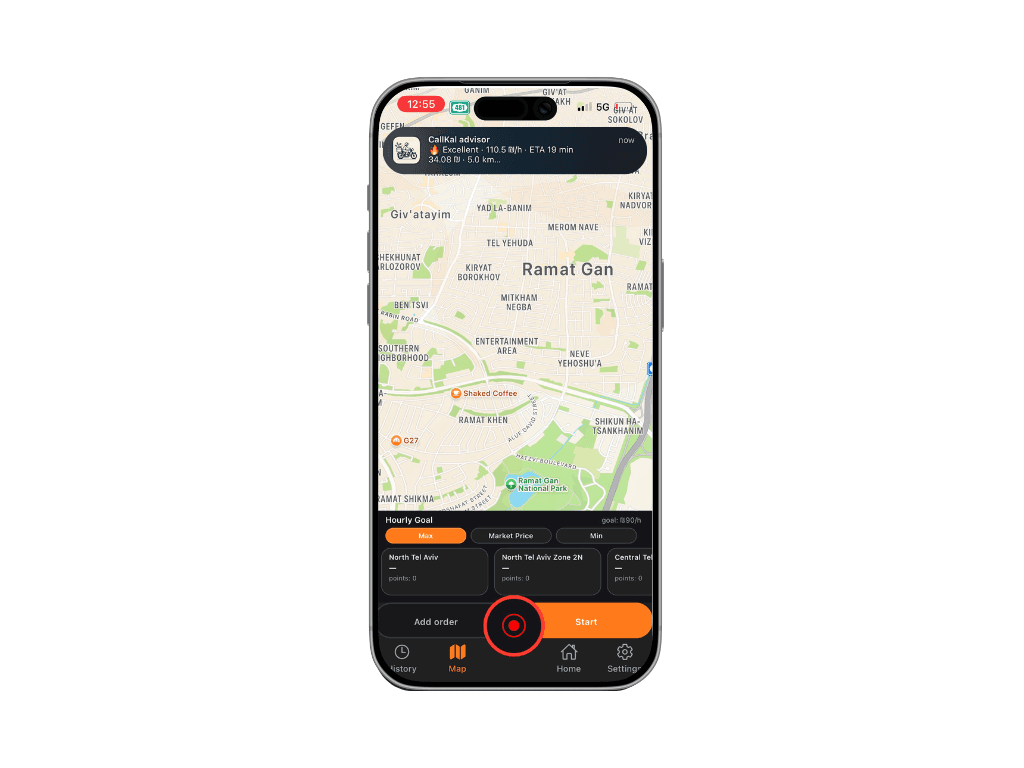
Get advice notification
CallKal works together with your delivery app. You do not need to change how you work.
Start an order in your courier app and CallKal understands that your work has started. Finish the order there and CallKal knows it is complete.
No manual time tracking. No extra steps. Just your real working time, calculated automatically.
CallKal calculates your real hourly earnings based on your actual working time. It starts with a default speed model based on typical courier performance, then begins learning from your very first orders.
It learns your speed, your routes, and your real delivery time.
The AI needs one simple thing: accurate start and finish of every order. The more precise your tracking is, the more accurate your results become.